Facebook scheduler
Facebook Post Scheduler
Write the post once, pick a time, and let it publish itself to your Facebook Page — then send the same update to Instagram, X, LinkedIn and the rest of your networks.
7 days free, then from $19.90 a month. Cancel anytime.
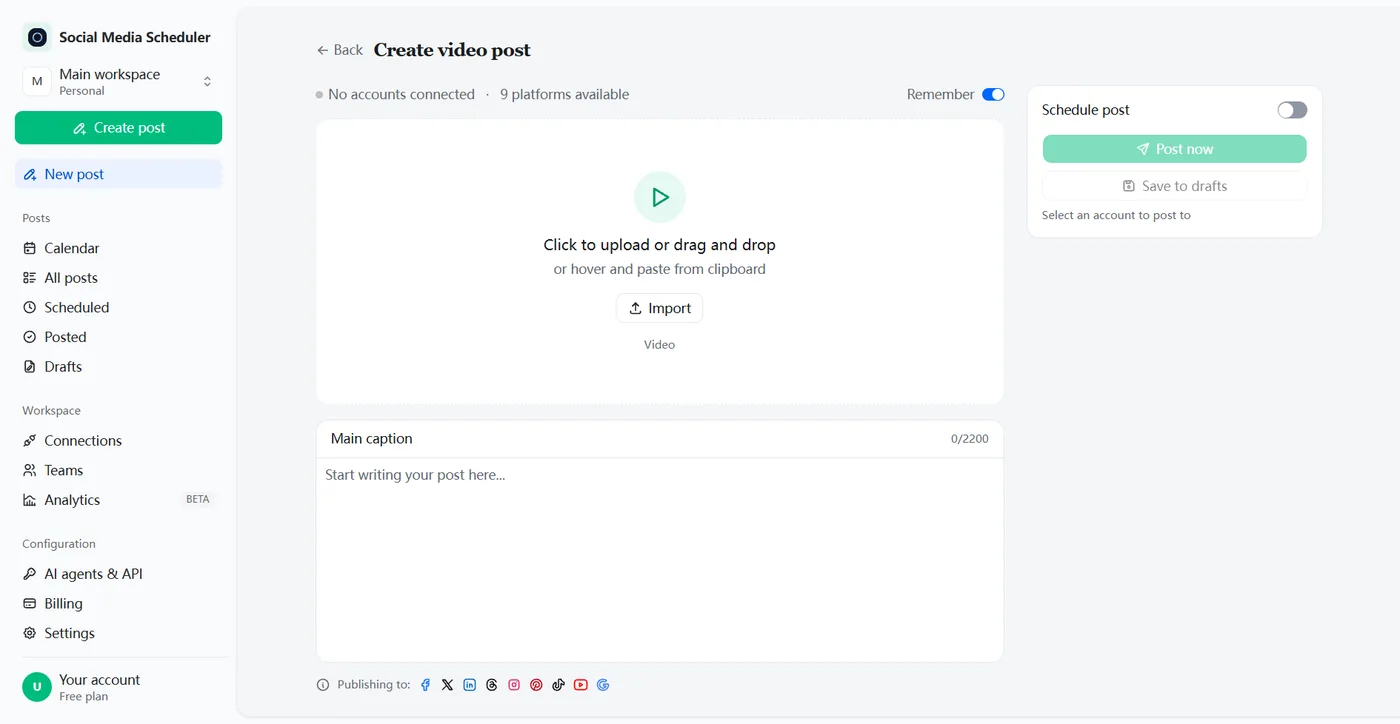
Schedule Facebook posts in advance, without opening Facebook
A Facebook post scheduler lets you write posts for your Page ahead of time and publish them automatically at the date and time you choose. Social Media Scheduler connects to your Facebook Page, queues text, image and video posts, and publishes each one on time while you get on with your day.
How to schedule posts on Facebook
You can schedule posts on Facebook in two ways: with Meta Business Suite, Meta’s free tool for Pages, or with a post scheduler that also covers your other networks. Both need a Facebook Page, not a personal profile, and both publish the post automatically at the time you set.
With Social Media Scheduler
- 1. Connect your Page. Click Connect next to Facebook, sign in on Meta’s own screen and pick a Page you manage. Your password stays with Meta.
- 2. Write the post. Pick a text, image or video post, write the caption and upload your file. A link in the caption becomes a preview card.
- 3. Pick a time. Turn on Schedule post, choose the date and time in your own timezone, and save — or press Post now. You see whether Facebook accepted it.
With Meta Business Suite on desktop
- Open Meta Business Suite and click Create post.
- Under Post to, select your Facebook Page.
- Add photos or video and write the text.
- Under Scheduling options, set the date and time. Active times suggests slots.
- Click Schedule.
On your phone
In the Meta Business Suite app, create the post, tap Schedule for later, pick the date and time, then tap Schedule.
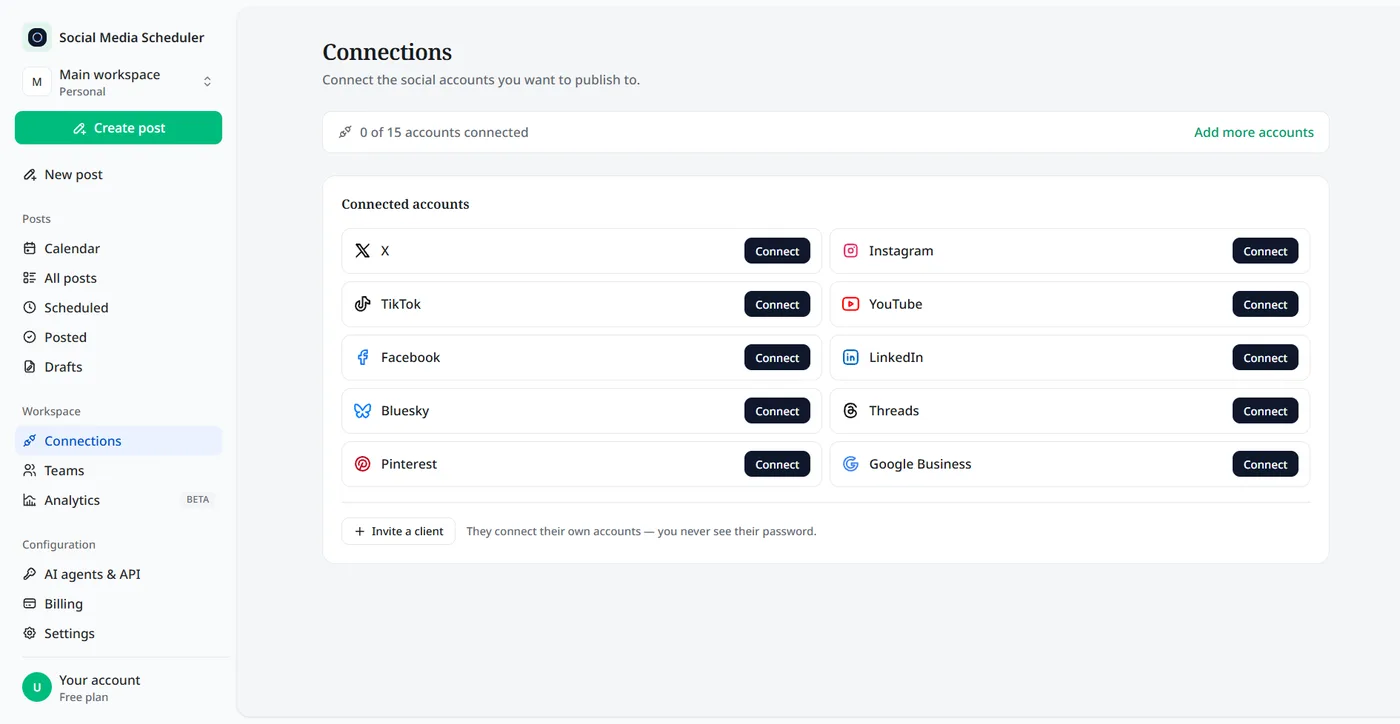
What you can schedule to a Facebook Page
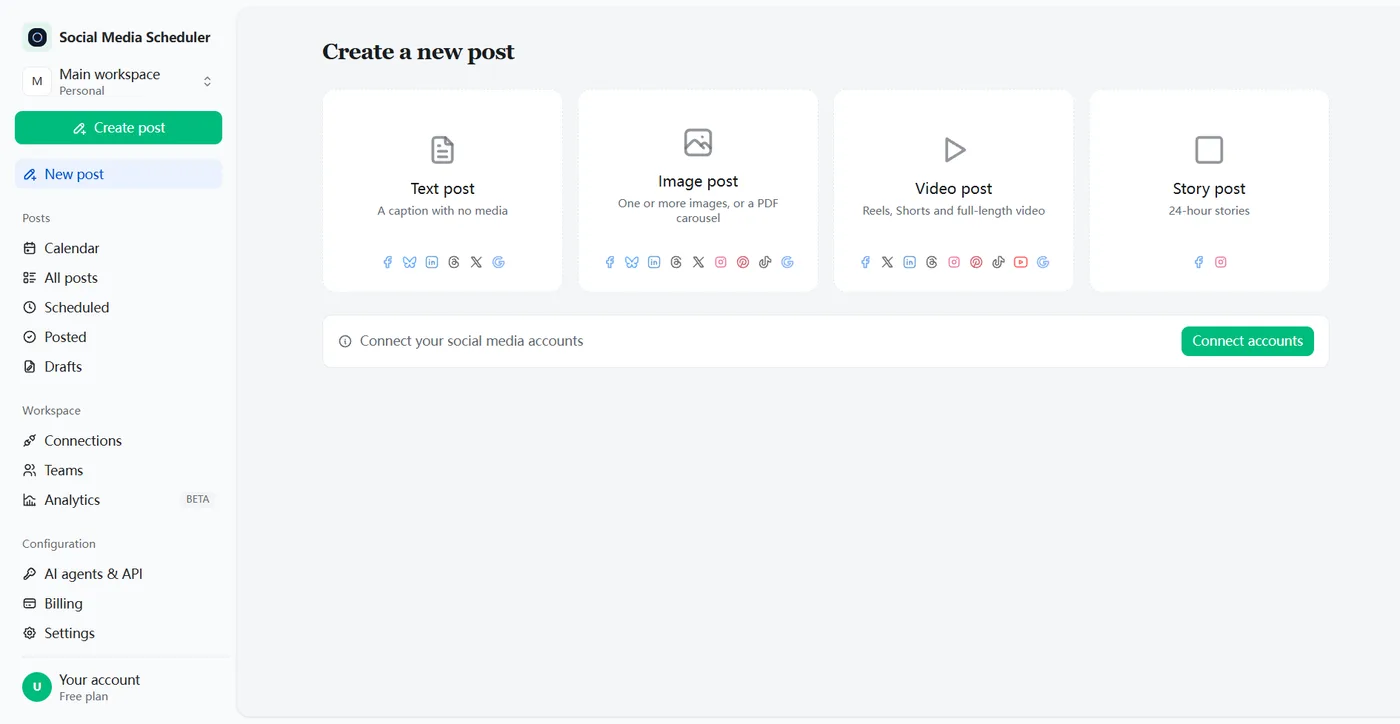
Text, photo and video posts — the three formats most Pages live on — can all be scheduled here and published to the Page you connected.
Text and link posts
Announcements, questions and updates with captions of up to 2,200 characters. Unlike Instagram and TikTok, Facebook accepts text with no media, and a URL turns into a link preview.
Image posts
A product shot, an event poster or a quote card. Upload it once and the same post can go to Instagram, LinkedIn and Pinterest in the same step.
Video posts
Schedule a video to your Page alongside TikTok, YouTube and Instagram, so one recording covers every channel.
Reels and Stories
Meta Business Suite has separate Create reel and Create story buttons, and both end with a Schedule option. A story can hold up to 10 photos or videos and a swipe-up link.
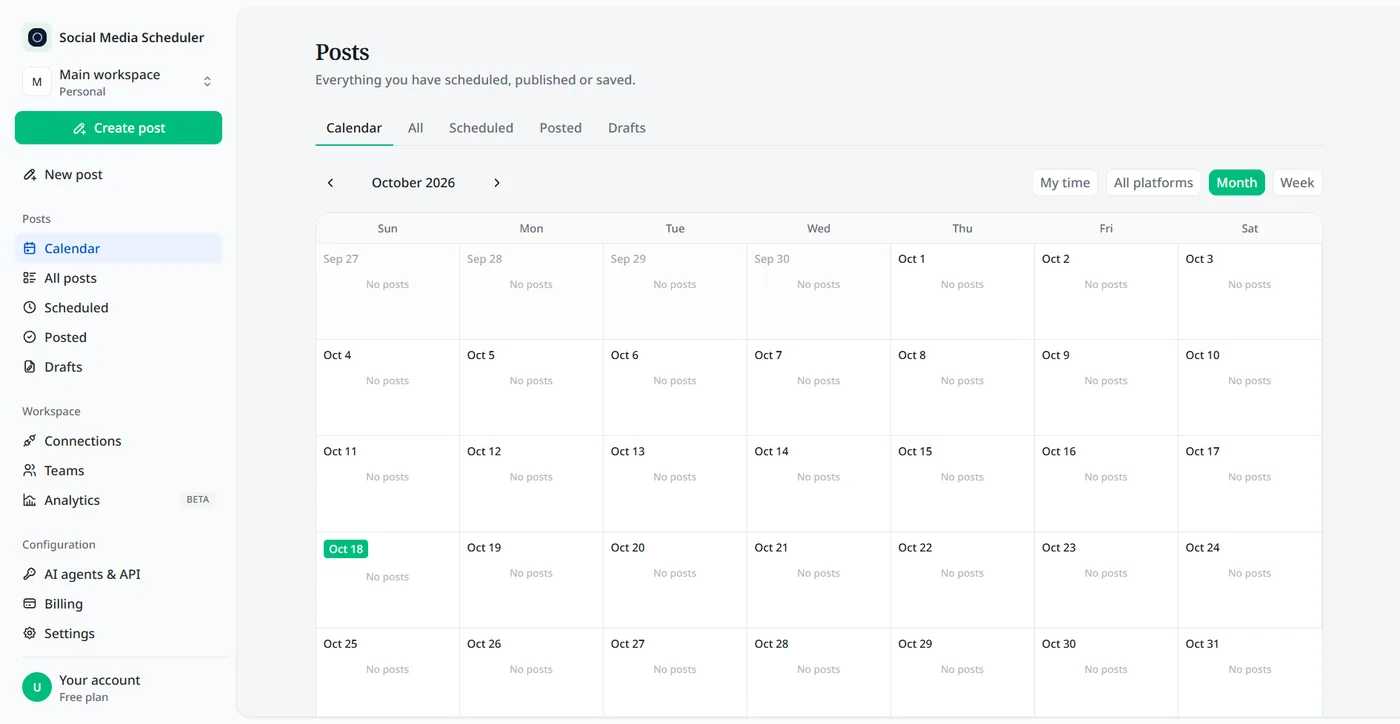
How to see, edit or delete scheduled posts on Facebook
To see scheduled posts on Facebook, open Meta Business Suite, click Content and choose the Scheduled tab, or open Planner for a week or month calendar. Select a post, click the three dots, then Manage post to edit it, reschedule it, move it to drafts or delete it.
Posts scheduled with Social Media Scheduler live in one place instead: the calendar and the Scheduled tab show every Facebook post waiting to go out, next to the ones for your other networks, and the Posted tab shows what went out.
Can you schedule posts on a personal Facebook profile?
No scheduling tool can post to a personal profile, Meta’s or anyone else’s. Meta’s schedulers cover Pages and groups, and its publishing access for outside apps is limited to Pages. To post ahead as yourself, write the post in advance and publish it by hand, or move your public posts to a Page.
How to schedule a post in a Facebook group
Group posts are scheduled inside Facebook itself, and only by admins and moderators. Start writing a post in the group, click the calendar icon next to Post, pick the date and time, and click Schedule. Scheduled group posts are listed under Admin tools.
Admins can also set up recurring group posts — daily, weekly or monthly — with Admin Assist, under Publish a custom post. They show up in Scheduled posts 24 hours before they publish.
Post to Facebook and every other network at once
Meta’s own tools stop at Meta’s own apps. Here the same text post can go to your Page and, in the same step, to X, LinkedIn, Threads, Bluesky and Google Business — or with an image or video, to Instagram, TikTok, YouTube and Pinterest too. Each network reports back on its own, so one rejection never holds up the rest.
Meta Business Suite vs a Facebook scheduling tool
Meta Business Suite is free and fine for a business that only lives on Facebook and Instagram. A separate scheduling tool pays off once you post every week to networks outside Meta, or plan further ahead than 29 days.
| Meta Business Suite | Social Media Scheduler | |
|---|---|---|
| Price | Free | From $19.90 a month, 7-day free trial |
| How far ahead | 20 minutes to 29 days | Any future date and time you pick |
| Where it posts | Facebook Pages, groups and Instagram | Facebook Pages |
| Other networks | Meta apps only: Facebook, Instagram, Threads | X, LinkedIn, TikTok, YouTube, Bluesky, Pinterest and more |
| Suggested times | Active times, from the last 7 days | You choose the time |
| Overview | Planner calendar for your Meta accounts | One calendar for every network |
Meta Business Suite column from Meta’s Help Center, checked October 2026.
Best time to schedule Facebook posts
The best time is when your own followers are online, and that differs by audience. Meta Business Suite’s Active times shows when your followers were most active over the past 7 days. Start with those hours, then compare your Page insights after a few weeks and move your slots toward the posts that got the most reactions.
Facebook post scheduler pricing
Plans are priced by account sets, not by posts. A set is one account on every platform: Solo is $19.90 a month for 1 set, Growth $39 for 5 and Agency $99 for 15, and every plan includes unlimited posts. Each plan starts with a 7-day free trial.
- One set covers one Facebook Page, alongside Instagram, X and the rest. Another Page goes in another set.
- Unlimited scheduled posts on every plan.
- Switch plans or cancel at any time.
Facebook post scheduler FAQ
Does Facebook have a post scheduler?
Yes. Meta Business Suite has a free scheduler for Facebook Pages: create a post, turn on Set date and time, and pick a slot between 20 minutes and 29 days away. A separate post scheduler is useful when you also post to X, LinkedIn or TikTok and want one calendar.
Can you schedule a post on Facebook on a personal page?
Not through any scheduling tool. Meta’s schedulers cover Pages and the groups you manage, and Meta does not let outside apps publish to personal profiles. If you post often as yourself, a Page for your business or public profile is the version you can schedule.
Why can’t I schedule posts on a Facebook Page?
Usually it is permissions or timing. Meta only lets people with full control or content permission on a Page schedule posts, and only between 20 minutes and 29 days ahead. If Meta Business Suite keeps spinning on Schedule, reload the page or try the Meta Business Suite app.
How far in advance can you schedule a Facebook post?
In Meta Business Suite, a Page post can be scheduled from 20 minutes to 29 days ahead, and all times use your current timezone. Social Media Scheduler takes any future date and time you pick, which helps when you plan a campaign or a launch more than a month out.
Can you schedule reels on Facebook?
Yes. In Meta Business Suite, click Create reel, choose your Page, upload the video, and at the last step pick Schedule with a date and time instead of sharing it right away. Reels made from photos can have audio synced to them before you schedule.
Is there a free Facebook post scheduler?
Meta Business Suite is free and covers your Page, Instagram and groups. Social Media Scheduler has no free-forever plan, but every plan starts with a 7-day free trial — nothing is charged until it ends — so you can schedule real Page posts before you decide to pay.
Do scheduled Facebook posts get less reach?
Meta has not said that scheduled posts are ranked differently from posts published by hand. What moves reach is the post itself and how quickly people react to it, so the time you schedule for matters more than the fact that the post was scheduled.
Can I connect more than one Facebook Page?
Each account set connects one Facebook Page. If you run several Pages, for example for clients, give each Page its own set: Growth includes 5 sets and Agency 15, and one post can go to several sets at once.
Schedule your first Facebook post
Connect your Page in about a minute, write the post, pick a time. Try every feature free for 7 days.
Start 7-day free trial