Video scheduling
TikTok Scheduler
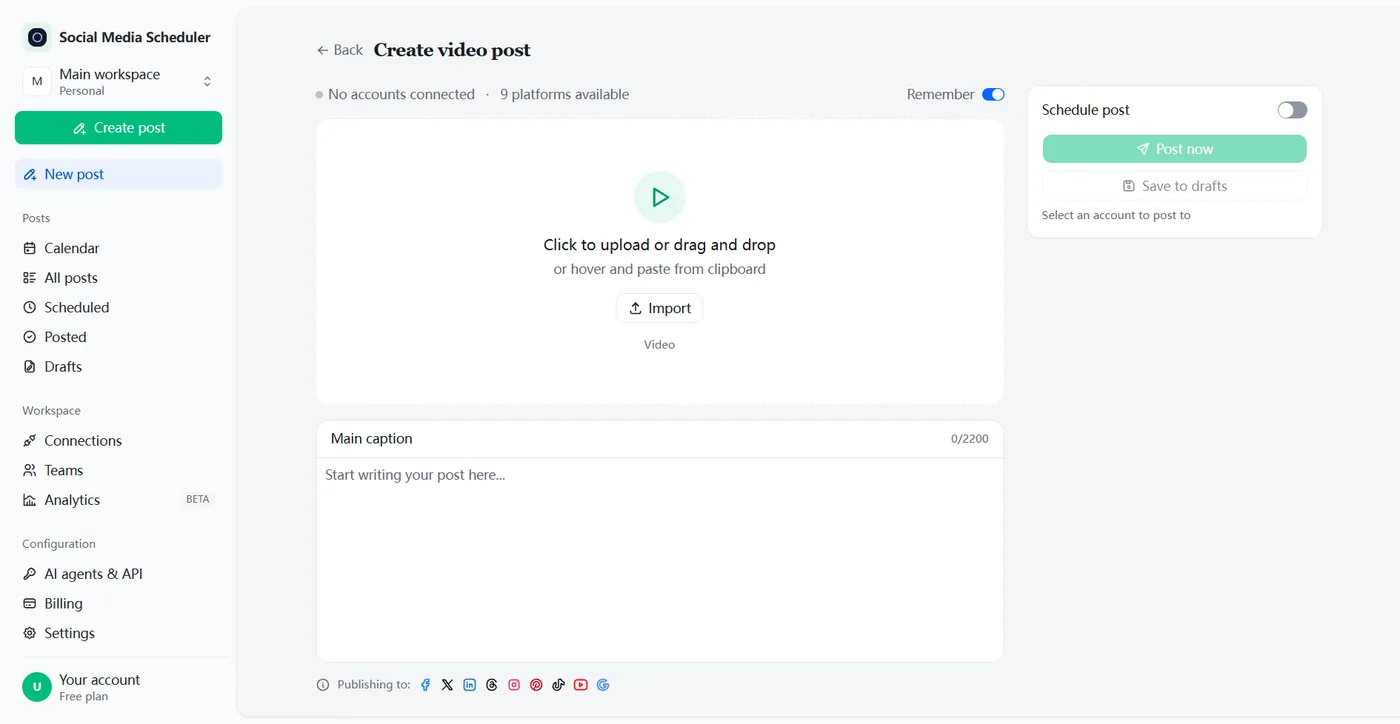
Upload your video once, write the caption, pick a time — and it publishes itself to your account. The same clip can go to Instagram Reels and YouTube Shorts in the same step.
7 days free, then from $19.90 a month. Cancel anytime.
Schedule TikTok posts without being on your phone
A TikTok scheduler lets you upload videos ahead of time and auto-post them at the date and time you choose. Social Media Scheduler connects to your account through TikTok’s own login, queues your videos with their captions, and publishes each one on time — while you film the next one or sleep.
Growth on TikTok comes from showing up often, and the best hour to post is rarely the hour you finish editing. Batch a week of clips on your editing day and line them up for the evenings your followers are scrolling.
Can you schedule posts on TikTok?
Yes, in two ways. TikTok’s free Video Scheduler in TikTok Studio lets Creator and Business accounts plan a video from 15 minutes to 10 days ahead. A TikTok scheduling tool connects to your account and auto-posts on any date you pick, and can send the same video to other networks too.
TikTok has not published a follower minimum for its scheduler. If the schedule option does not show up on your account, a connected scheduling tool works without it.
How to schedule posts on TikTok
To schedule a TikTok post, upload the finished video, write the caption, switch on scheduling and pick a date and time. In TikTok Studio that happens on the web upload page and reaches 10 days out; in Social Media Scheduler it happens in one composer that also covers Reels and Shorts.
In TikTok Studio (free, up to 10 days)
1. Log in on a web browser
Open TikTok Studio on a computer and go to Upload.
2. Upload and edit the video
Add the file and the caption, as you would for posting now.
3. Turn on Schedule and pick a date
Choose a time between 15 minutes and 10 days from now.
4. Schedule the post
It stays locked until it publishes; to change it, delete it and upload again.
With Social Media Scheduler (any date)
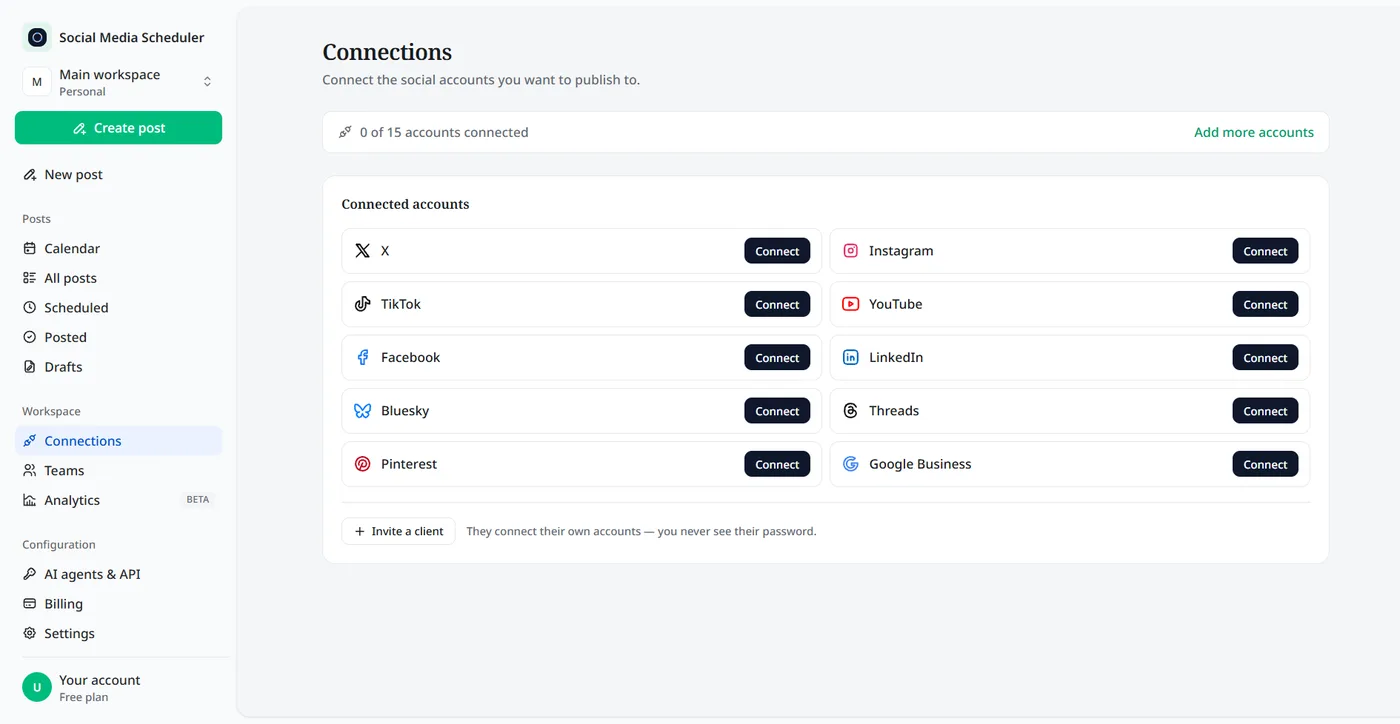
1. Connect your TikTok account
Click Connect next to TikTok and approve access on TikTok’s own sign-in screen. Personal and business accounts both work, and your password never passes through us.
2. Upload the video and write the caption
Pick Video post, drop in your vertical video and write the caption — up to 2,200 characters with hashtags and mentions. Tick TikTok plus any other network you want.
3. Pick a time, post now, or save a draft
Turn on Schedule post and choose the date and time in your own timezone. Post now publishes straight away; Save to drafts keeps it for later.
How to schedule TikTok posts on your phone
TikTok’s scheduler started on the desktop upload page. Some creators now report a schedule option in the TikTok Studio app, but it does not appear on every account. If yours has it, the steps match desktop: upload, switch on scheduling, pick the time.
If it does not, schedule from a computer — the upload takes a minute — or save the finished video to your TikTok drafts and publish it from your phone when the moment comes.
What you can schedule to TikTok
TikTok does not accept text-only posts, so a scheduled post is always media with a caption. Here is what to know about each part.
Short vertical videos
Tutorials, trends you filmed in advance, behind-the-scenes cuts and product demos. Edit them in CapCut or any editor, export, and upload the finished file to schedule it here.
Captions with hashtags and mentions
Write the caption the way you would in the app, with line breaks, emoji, hashtags and @mentions. The composer counts the characters so nothing gets cut off.
Photo mode and carousels
TikTok’s photo mode turns several still images into one swipeable post with a sound. If you plan a carousel series, check that your scheduling tool publishes photo posts as one carousel rather than one image per post.
Sounds and post settings
A scheduled video goes out with the audio inside the file. A trending sound from TikTok’s library has to be added in the app, so mix it into your edit or publish that one from drafts. Who can view, comment, Duet or Stitch is set per post in TikTok.
Drafts
Not ready to commit to a time? Save the video as a draft here, come back to it later, and schedule it when the caption is right.
One video to TikTok, Reels and Shorts at once
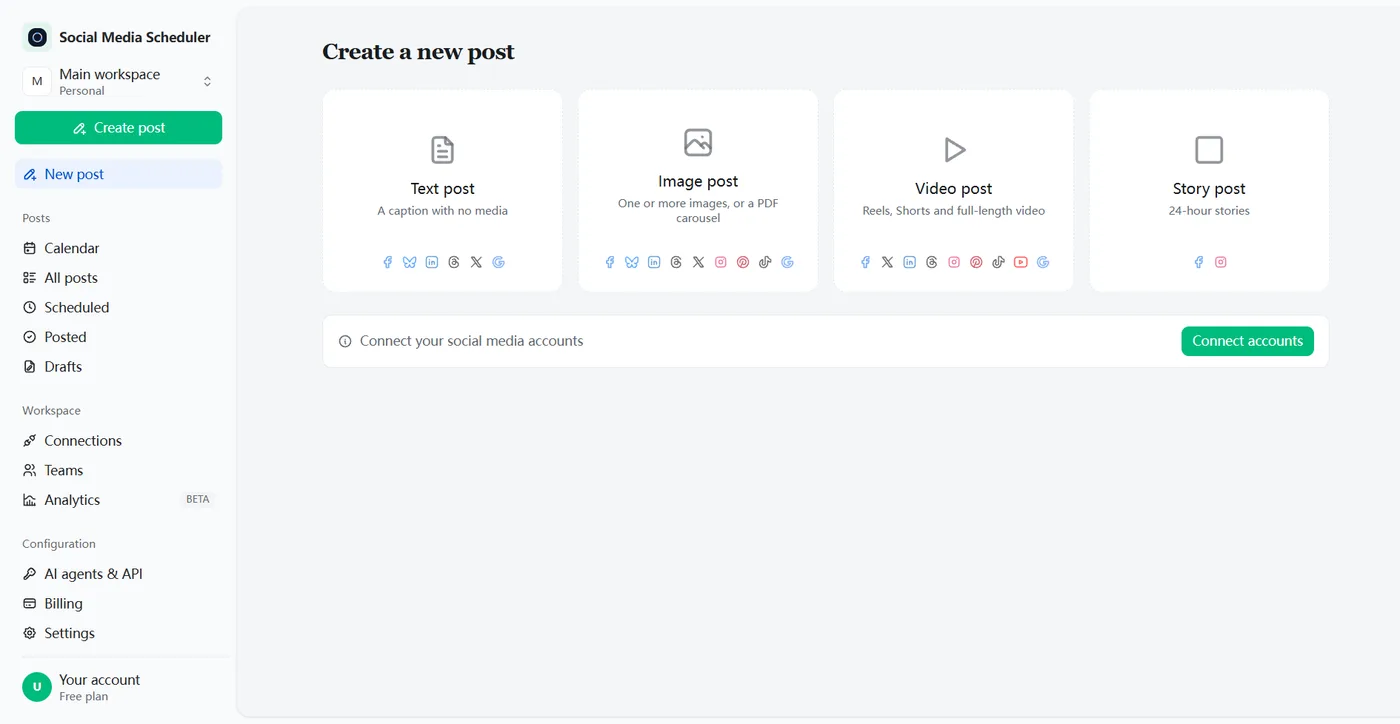
You already film vertical. Most creators post the same clip to TikTok, Instagram Reels and YouTube Shorts, and doing it by hand means three uploads. Here one scheduled video post covers all three, and Facebook, X, LinkedIn, Threads and Pinterest too.
Each network reports back on its own, so you can see that the video went live on TikTok and Reels even if another network turned it down. Failed posts say why they failed, per platform.
Do scheduled TikToks get fewer views?
TikTok has not said that scheduled videos are ranked lower, and scheduled posts go out through TikTok’s official API like posts from any approved app. Creators do report weaker results on some scheduled posts, and the usual causes are ones you control: the sound, the upload quality and being around in the first hour.
- Put the sound in your edit — a library sound cannot be added to a scheduled upload.
- Upload the original export, not a copy compressed by a chat app.
- Be online when it goes live and reply to the first comments.
- Test fairly: five scheduled and five manual posts, same format, same hour.
TikTok Studio’s scheduler vs a TikTok scheduling tool
TikTok’s built-in Video Scheduler is free and fine for a video or two a week. A scheduling tool is worth it once you plan more than 10 days out, want a calendar of everything you have queued, or post the same video to Reels and Shorts as well.
| TikTok Studio | Social Media Scheduler | |
|---|---|---|
| Price | Free | From $19.90 a month, 7-day free trial |
| How far ahead | 15 minutes to 10 days | Any date and time you pick |
| Where you schedule | The web upload page in TikTok Studio | One dashboard in your browser |
| Account type | Creator and Business accounts | Personal and business accounts |
| Other networks | TikTok only | Instagram Reels, YouTube Shorts, Facebook, X, LinkedIn and more |
| Overview | Your scheduled TikTok videos | One calendar for every network |
TikTok Studio column from TikTok’s Video Scheduler announcement, checked October 2026.
Plan a TikTok content calendar
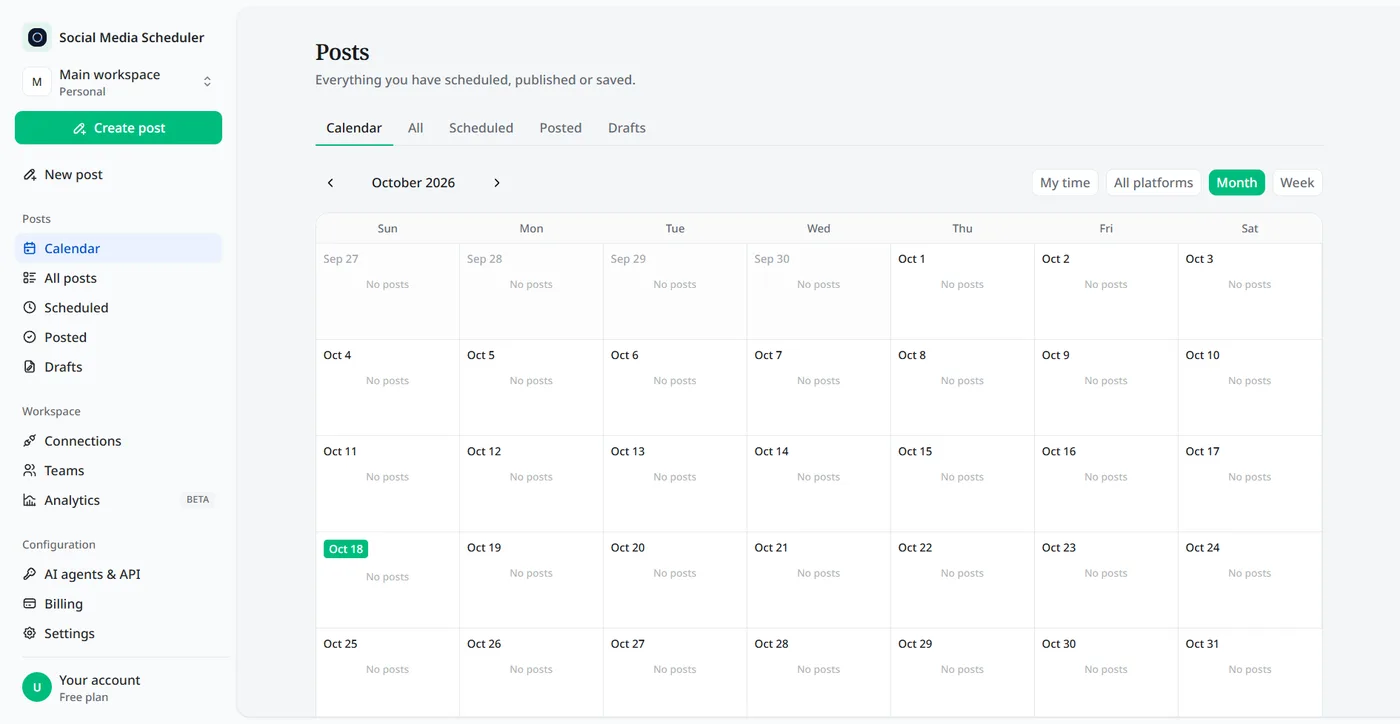
Every video you schedule shows up in the calendar and in the Scheduled tab, next to your posts for other networks. Switch between month and week, filter by platform, and check Posted for what already went out and Drafts for what still needs a caption.
A full week of posts on one screen makes gaps obvious: if Thursday is empty, you see it on Monday, not on Thursday night.
Who uses a TikTok post scheduler
Creators
Film and edit in batches, then let the queue post one video a day at your best hour, even on the days you are offline.
Small businesses and shops
Plan product videos around launches and sales, and send the same clip to Reels and Shorts without re-uploading it.
Social media managers and freelancers
Line up the week’s videos in one sitting and see per-platform results instead of opening every app to check.
TikTok scheduler pricing
Plans are priced by account sets, not by posts. A set is one account on every platform: Solo is $19.90 a month for 1 set, Growth $39 for 5 and Agency $99 for 15, and every plan includes unlimited scheduled posts. Each plan starts with a 7-day free trial.
- One set covers one TikTok account, alongside Instagram, YouTube and the rest. A second TikTok goes in a second set.
- Unlimited scheduled videos on every plan.
- Switch plans or cancel at any time.
TikTok scheduler FAQ
Does TikTok have a scheduler?
Yes. TikTok’s own Video Scheduler lives on the web upload page in TikTok Studio. According to TikTok, Creator and Business accounts can schedule a video from 15 minutes to 10 days ahead. A TikTok scheduler like ours removes the 10-day window and adds a calendar plus Reels and Shorts.
How many followers do you need to schedule TikTok posts?
TikTok has not published a follower minimum for scheduling. Its announcement names Creator and Business accounts as the ones that can use the Video Scheduler, with no follower count attached. The claim that it unlocks at 10K followers comes from creator videos, not from TikTok. A connected scheduling tool does not depend on that option.
Why won’t TikTok let me schedule posts?
The usual reasons: you are looking in the regular app instead of TikTok Studio, the date is more than 10 days out, or the option is not offered on your account. TikTok names Creator and Business accounts for its scheduler. A scheduling tool that connects through TikTok’s own login works around all three.
How far in advance can you schedule a TikTok?
In TikTok Studio, from 15 minutes to 10 days ahead, according to TikTok. A third-party TikTok scheduler keeps the post in its own queue until it is due, so you can plan further out. Here you can pick any date and time, which suits batching a whole month of videos in one sitting.
Is there a free TikTok scheduler?
TikTok Studio’s scheduler is free, but it covers TikTok only and 10 days at most. Social Media Scheduler has no free-forever plan, but every plan starts with a 7-day free trial — nothing is charged until it ends — so you can schedule real videos before you pay anything.
Can I schedule TikTok posts from a personal account?
Yes. Personal and business accounts both connect through TikTok’s own sign-in screen, and both can have videos scheduled to them here. You do not need to switch to a business account, you never share your password, and you can remove the connection at any time from the Connections page.
Why did my scheduled TikTok go to my inbox?
TikTok limits how many posts one account can publish through apps each day. When that cap is reached, the video can be delivered to your TikTok inbox as a draft instead of failing, so you can publish it from the app. The post result tells you when this happens.
Can you edit a scheduled TikTok?
Not in TikTok Studio. TikTok says the video, caption and time are locked once a post is scheduled; to change anything you delete it and upload again. The simplest habit is to finish the caption before you schedule, and keep anything you are unsure about in drafts until it is final.
Schedule your first TikTok video
Connect TikTok in about a minute, upload the video, pick a time. Try every feature free for 7 days.
Start 7-day free trial