Instagram scheduler
Schedule Instagram Posts
Upload a photo or a Reel from your computer, write the caption, pick a time — it auto posts to your account while you get on with your day, and the same post can go to TikTok, YouTube and Facebook too.
7 days free, then from $19.90 a month. Cancel anytime.
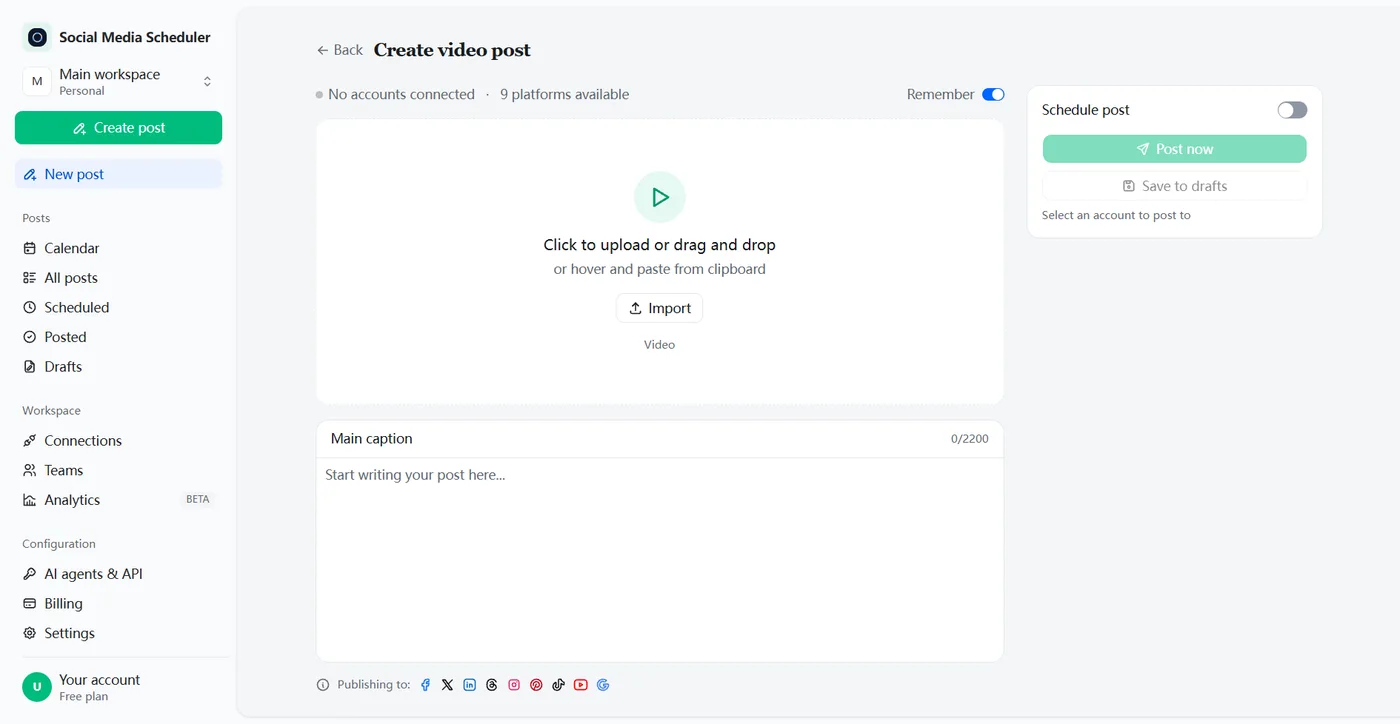
An Instagram scheduling tool that posts for you
An Instagram scheduler lets you prepare posts and Reels ahead of time and publish them automatically at the date and time you choose. Social Media Scheduler connects to your Instagram Business or Creator account, queues image posts and Reels, and auto posts each one on time — no reminder to tap, no phone needed.
Showing up on Instagram every few days is what grows an account, and it is the first thing to slip in a busy week. Batch your content on one afternoon, check every caption on a big screen, and let the queue keep your feed moving on the days you are away from your desk.
How to schedule Instagram posts
Scheduling Instagram posts takes three steps: connect your Business or Creator account, upload a photo or video with its caption, then choose the date and time. The post publishes itself to Instagram when the time comes, and the dashboard shows whether Instagram accepted it.
1. Connect your Instagram account
Click Connect next to Instagram and approve access on Instagram’s own sign-in screen. The account has to be a Business or Creator account; a personal account can be switched for free in Instagram’s settings.
2. Upload the photo or video
Pick an image post or a video post, drag in the file from your computer and write the caption, with hashtags and emoji, up to Instagram’s 2,200-character limit.
3. Pick a time, or post now
Turn on Schedule post, choose the date and time in your own timezone, and save. The post waits in your Scheduled list and goes out on time; Post now publishes it straight away.
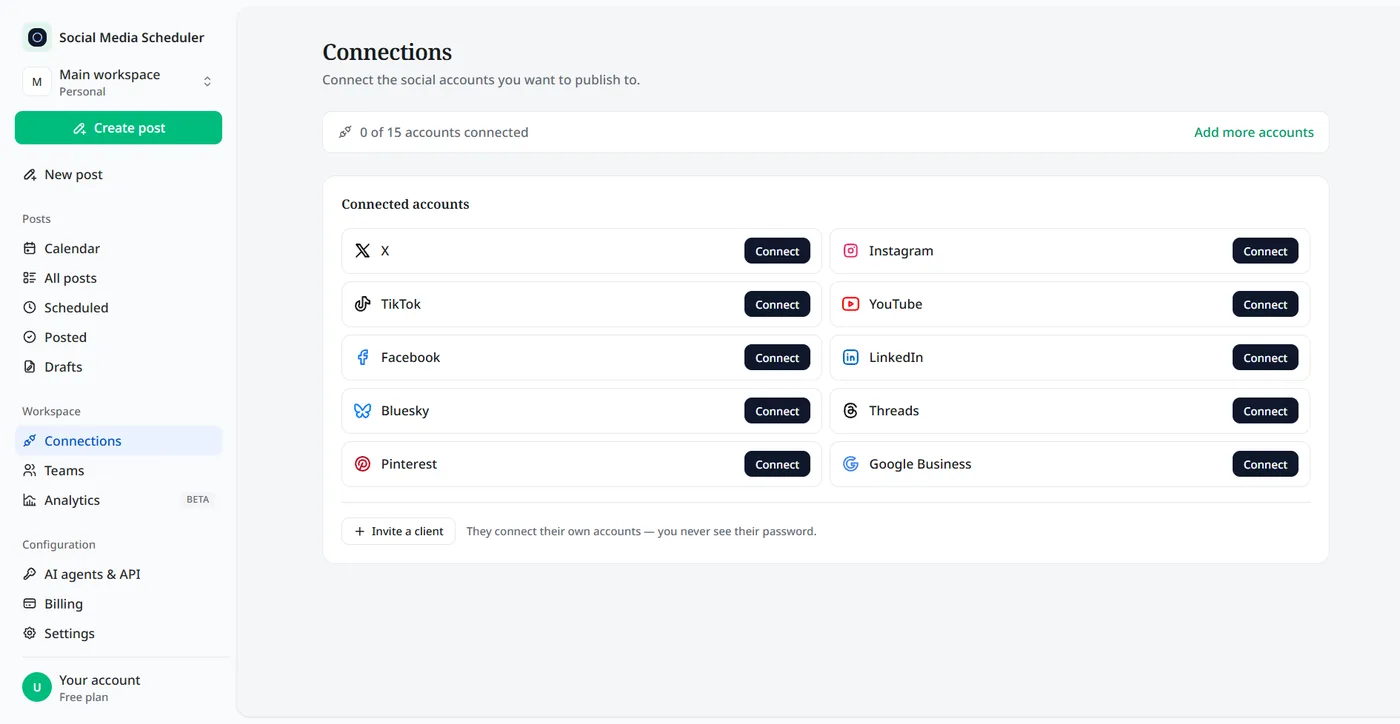
What you can schedule to Instagram
Instagram does not accept a text-only post, so every scheduled post carries a photo or a video. Here is what goes out automatically today.
Image posts
A single photo with its caption: product shots, quotes, event photos, behind-the-scenes. The same image can go to Facebook, Threads, Pinterest and LinkedIn in the same scheduled post.
Reels
Upload a vertical video and it is published as a Reel. Edit once, then schedule the same clip to Instagram Reels, TikTok and YouTube Shorts together instead of uploading it three times.
Captions and hashtags
Write the caption on a keyboard, with line breaks, emoji and hashtags. The caption counter stops at 2,200 characters, the most Instagram allows, so nothing is cut off at publish time.
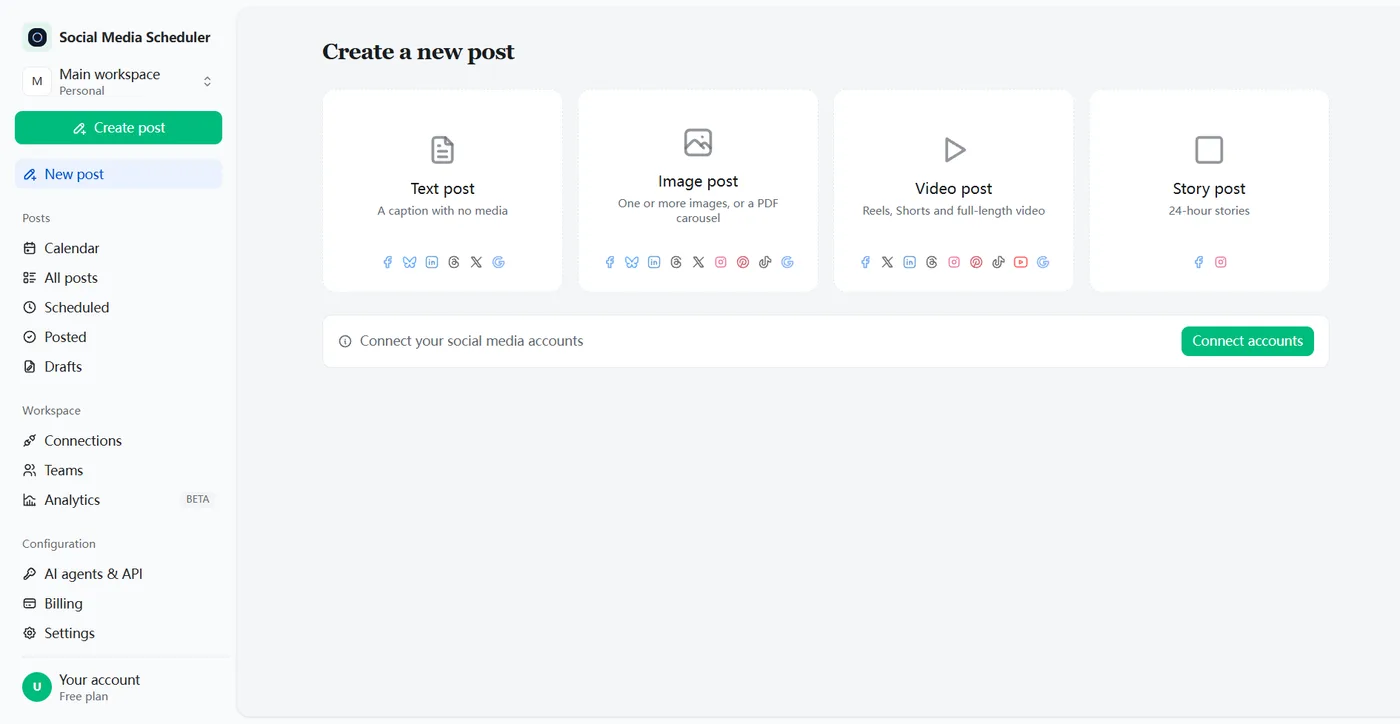
How to schedule Instagram Stories
Instagram’s in-app scheduler does not cover Stories: it handles photos, carousels and Reels only. To schedule a Story, use the Meta Business Suite mobile app, where you create the Story, choose Schedule for later and pick the date and time, or a third-party tool that publishes Stories through Instagram’s API.
Keep scheduled Stories simple. Polls, question boxes, music and other interactive stickers generally cannot be attached ahead of time, so plan those Stories for a moment when you can post them live from your phone.
Plan your Instagram feed before it goes live
Scheduling works best when the week is planned as a whole, not post by post. Three habits make the biggest difference.
Preview the grid
Your profile grid is the first thing a new visitor sees. Lay out the next nine posts side by side before scheduling them, so colours, faces and text-heavy graphics are spread out instead of bunched together.
Mix carousels with Reels
Reels reach new people; carousels keep followers swiping through a tutorial, a before-and-after or a product range. Alternate the two through the week rather than posting only one format.
Pick the time from your own insights
There is no single best time to post on Instagram. Check when your followers are online in Instagram’s insights or the Active times view in Meta Business Suite, then schedule into those hours.
What you can’t schedule on Instagram
Most scheduling failures come from a short list of features Instagram does not allow ahead of time. Even in Instagram’s own app, product tags, collab posts, branded content and fundraisers cannot be scheduled, and personal accounts cannot be published to from outside apps at all.
Reels that depend on a track from Instagram’s music library are the other common catch: outside apps cannot attach library audio. Bake the sound into the video file before you upload it, or post that Reel from the app.
Auto post to Instagram and every other network at once
Most people do not post to Instagram alone. A Reel usually belongs on TikTok and YouTube Shorts as well, and a product photo on Facebook and Pinterest. Tick the networks you want and one scheduled post covers them all.
Instagram’s own scheduling vs a dedicated scheduler
You can already schedule in the Instagram app, and Meta Business Suite lets you schedule from a computer. Both are free and fine if Instagram and Facebook are all you post to. A separate scheduling tool earns its place once the same content also goes to TikTok, YouTube, LinkedIn or X.
| Instagram app / Meta Business Suite | Social Media Scheduler | |
|---|---|---|
| Price | Free | From $19.90 a month, 7-day free trial |
| Where you schedule | Instagram app, or Meta Business Suite | Any browser, on desktop or laptop |
| How far ahead | In the app: up to 30 days, 25 posts a day | The date and time you pick |
| Account | App: a public account | A Business or Creator account |
| Other networks | Instagram, plus Facebook in Business Suite | TikTok, YouTube, Facebook, X, LinkedIn, Threads and more |
| Overview | Scheduled content list, or the Business Suite planner | One calendar for every network |
Instagram column from Instagram Help and Meta Business Help, checked October 2026.
How to see and edit scheduled posts on Instagram
To see scheduled posts in the Instagram app, open your profile, tap the menu in the top right, then Scheduled content under insights and tools. From there you can edit, reschedule, share now or delete each post. In Meta Business Suite, go to Content, then Posts and Reels, then Scheduled.
Posts scheduled here live in one place instead: the Scheduled tab and the calendar show every post waiting to go out, next to your posts for other networks, and the Posted tab shows what each platform did with it.
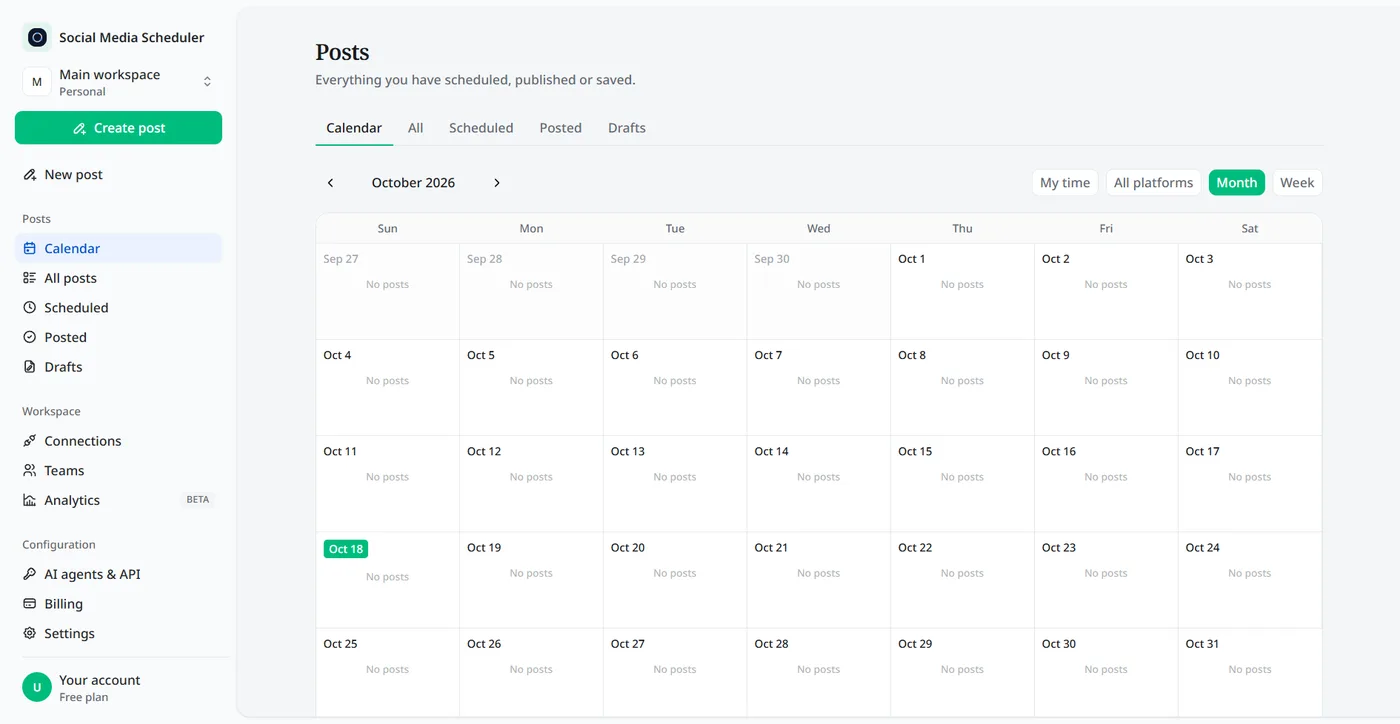
Who uses an Instagram scheduler
Creators who post short video everywhere
You film once and post to Reels, TikTok and Shorts. Schedule all three from one upload and spend the saved hour making the next video.
Small businesses and online shops
Plan a week of product photos and promos on Monday, from the same laptop where the photos already live, and keep posting through your busiest days.
Freelancers and social media managers
Line up a client’s Instagram and the rest of their networks in one calendar, and see at a glance what is scheduled and what has gone out.
Instagram scheduler pricing
Plans are priced by account sets, not by posts. A set is one account on every platform: Solo is $19.90 a month for 1 set, Growth $39 for 5 and Agency $99 for 15, and every plan includes unlimited scheduled posts. Each plan starts with a 7-day free trial.
- One set covers one Instagram account, alongside TikTok, YouTube and the rest. A second Instagram goes in a second set.
- Unlimited scheduled posts and Reels on every plan.
- Switch plans or cancel at any time.
Instagram scheduling FAQ
Can I schedule a post on Instagram?
Yes. Instagram lets public accounts schedule photos, carousels and Reels in the app, up to 30 days ahead, and Meta Business Suite adds scheduling from a computer. An Instagram scheduler like ours adds a calendar across networks and sends the same post to TikTok, YouTube, Facebook and the rest.
Why can’t I schedule a post on Instagram?
In the Instagram app, scheduling only works on public accounts, with at most 25 scheduled posts a day and 30 days ahead. Product tags, collab posts, branded content and fundraisers cannot be scheduled. To schedule from a third-party tool, the account also has to be a Business or Creator account.
Can you schedule Instagram Stories?
Not from the Instagram app itself: its built-in scheduler covers photos, carousels and Reels, not Stories. The Meta Business Suite mobile app can schedule Stories, and some third-party tools publish them too. Interactive stickers such as polls and question boxes usually still have to be added by hand in the Instagram app.
Can I schedule Instagram posts for free?
Yes, with Instagram’s own scheduler or Meta Business Suite, but both cover only Instagram and Facebook. Social Media Scheduler has no free-forever plan; every plan starts with a 7-day free trial — nothing is charged until it ends — so you can schedule real Instagram posts and Reels before you pay.
Does Instagram punish you for scheduling posts?
There is no sign that it does. Instagram offers scheduling itself, and posts from an approved app go out through Instagram’s official publishing API like any other post. Reach comes from the content and how people respond in the first hours, so schedule for when your followers are most active.
Can I schedule Instagram Reels?
Yes. Choose a video post, upload the clip and write the caption, then pick a time. The video is published to Instagram as a Reel, and the same file can go to TikTok, YouTube Shorts and Facebook in the same scheduled post, so one edit covers every short-video channel.
Do I need an Instagram Business account to schedule posts?
You need a professional account: Business or Creator. Instagram only allows outside apps to publish to professional accounts, not personal ones. Switching a personal account to a professional one is free and done from Instagram’s own settings, then you connect it here like any other network.
Can I schedule Instagram posts from my desktop?
Yes. Social Media Scheduler runs in the browser, so you can upload photos and videos straight from your computer, write captions on a real keyboard and schedule Instagram posts without touching your phone. It suits anyone who edits Reels or product photos on a laptop and hates moving files around.
Schedule your first Instagram post
Connect Instagram in about a minute, upload a photo or Reel, pick a time. Try every feature free for 7 days.
Start 7-day free trial